 Glen E. Grant
Photoshop files
Opens and saves PSD and PSB with the layers intact.
Masks, adjustment layers and live type come along. Layered 16-bit TIFF saves back in place.
Compositor
Two Windows photo apps, built by a working photographer for his own studio.
Scroll sideways for more.
Photoshop files
Masks, adjustment layers and live type come along. Layered 16-bit TIFF saves back in place.
Actions
7,848
of 8,007 recorded steps across 11 of Glen's action sets run today. One Ctrl+Z undoes a whole action.
Watermarking
0
samples different from Watermark Gienie, across 5.2 million, in PNG, JPEG, WebP and JPEG XL.
JPEG XL
19%
smaller when existing JPEGs repack to JPEG XL, and the original rebuilds bit for bit.
Library
4,000
thumbnails held in memory, so revisiting any part of the grid is instant.
Safety
The Library reads raw files where they live and keeps every edit in its catalog. Compositor PC keeps backup versions before any overwrite.
Compositor PC
Compositor PC is a full layered editor for Windows that opens and saves real Photoshop files and works in 32-bit float from the first pixel to the last. Built around a studio's day: camera RAW in, retouch, grade, watermark, deliver.
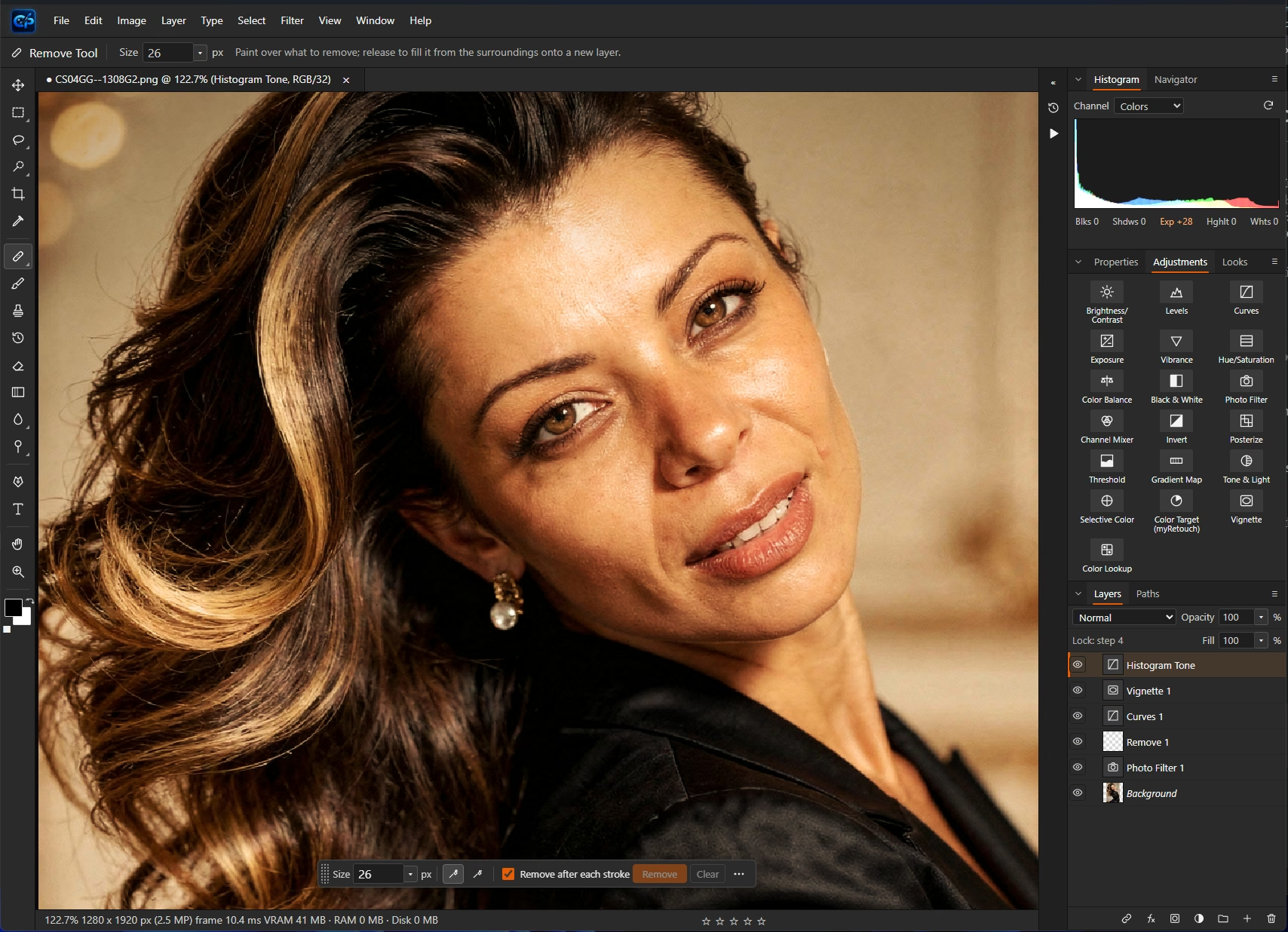
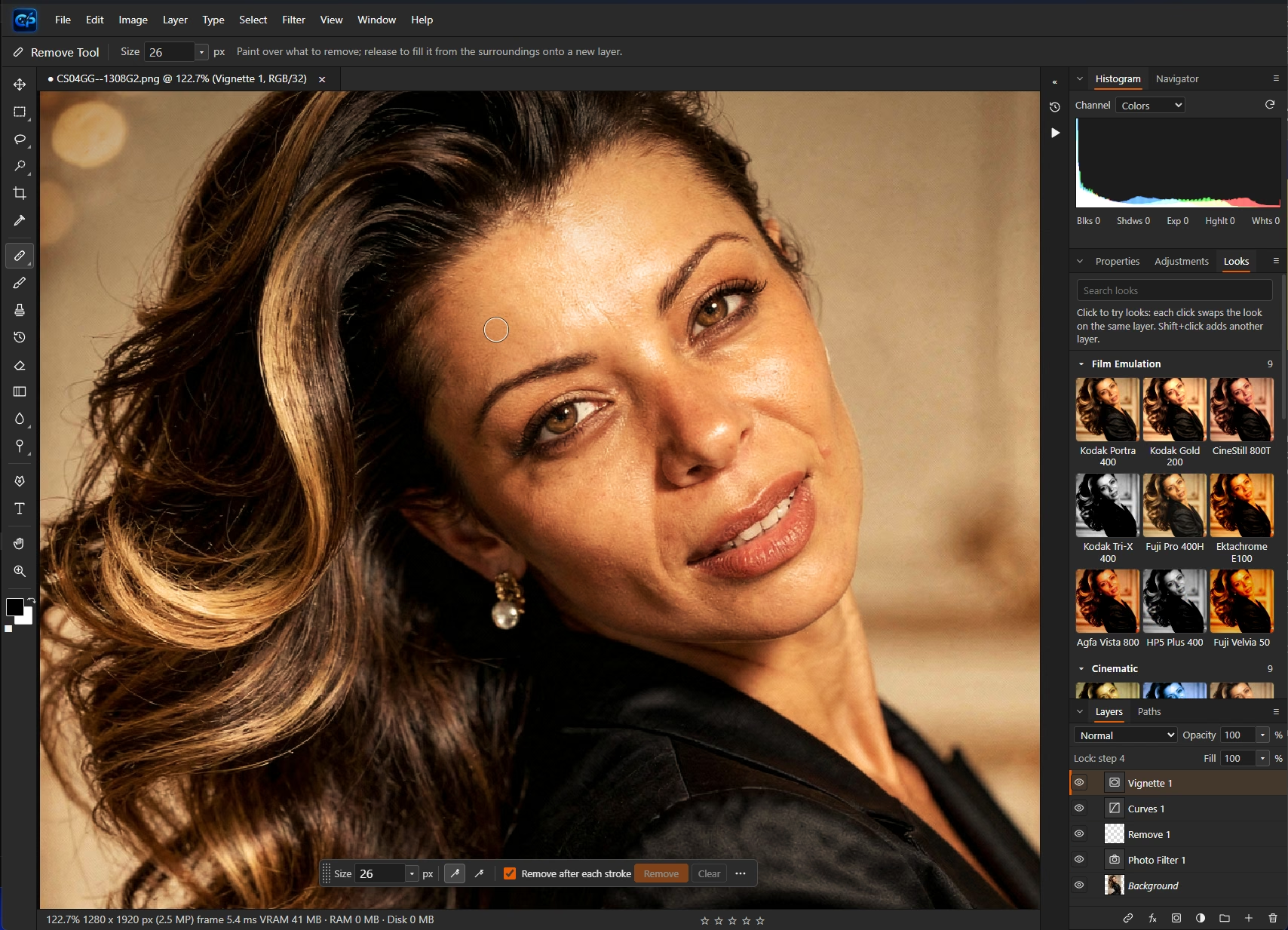
One portrait, five editable layers: Photo Filter, Remove, Curves, Vignette and Histogram Tone.
3.4 s
Select Subject, every repeat
Down from 234 seconds before tuning, on a GTX 1070.
50
levels of undo
Whole actions undo as a single step.
8, 16, 32
bit JPEG XL, open and save
With transparency, animation and HDR.
2nd
display, full screen
Follows every edit, with its own zoom, file info and histogram.
Retouch and grade
The retouching kit a portrait studio reaches for: Remove, Spot Healing, Healing Brush, Patch, Clone Stamp, Frequency Separation, Dodge and Burn, Liquify and skin tools. Then grade it, or take it to the B&W Studio with 38 presets and a before and after divider.
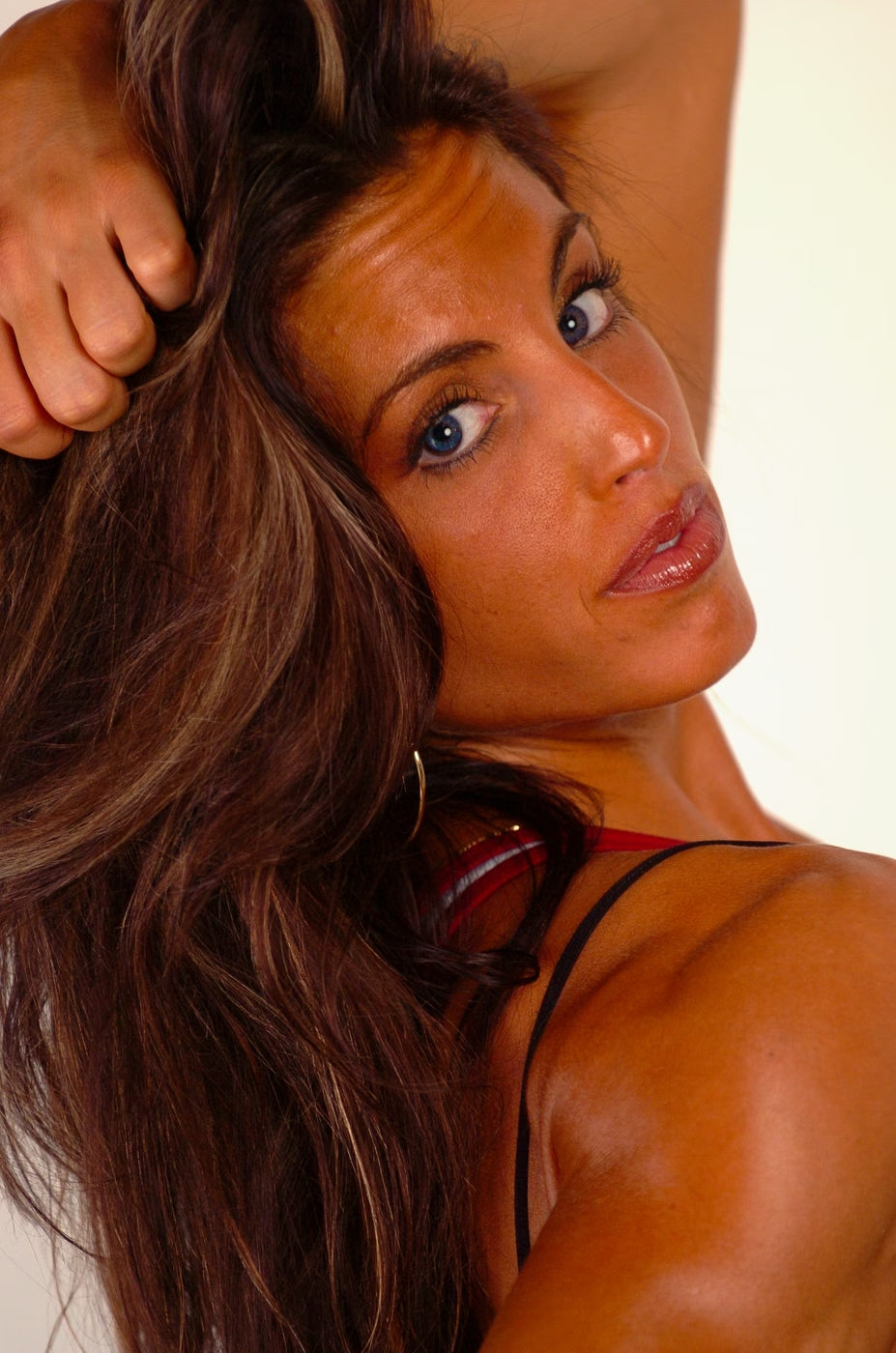
Warm Grade
A look layer plus Vibrance, both editable afterwards.


High contrast B&W
B&W Studio, one preset, re-editable from the layer.
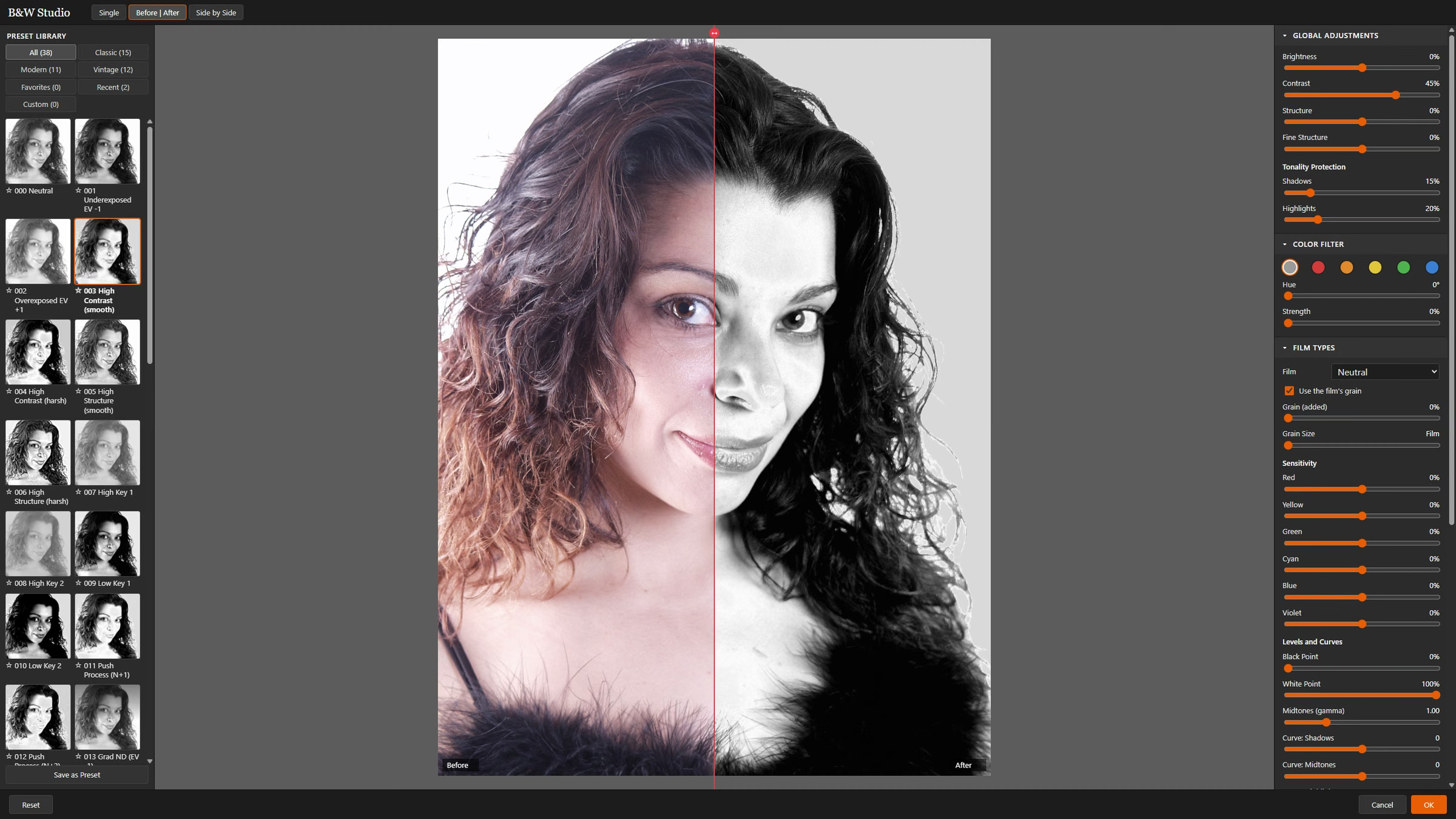
B&W Studio: presets, colour filters, film grain, levels and curves in one workspace.
Deliver
Export with Watermark runs Watermark Gienie's own engine: text, logos, borders, Camera Info and Clean Digi Marks, plus an invisible brand marker that still reads back after JPEG quality 50, a resize to 320 px or a WebP conversion.
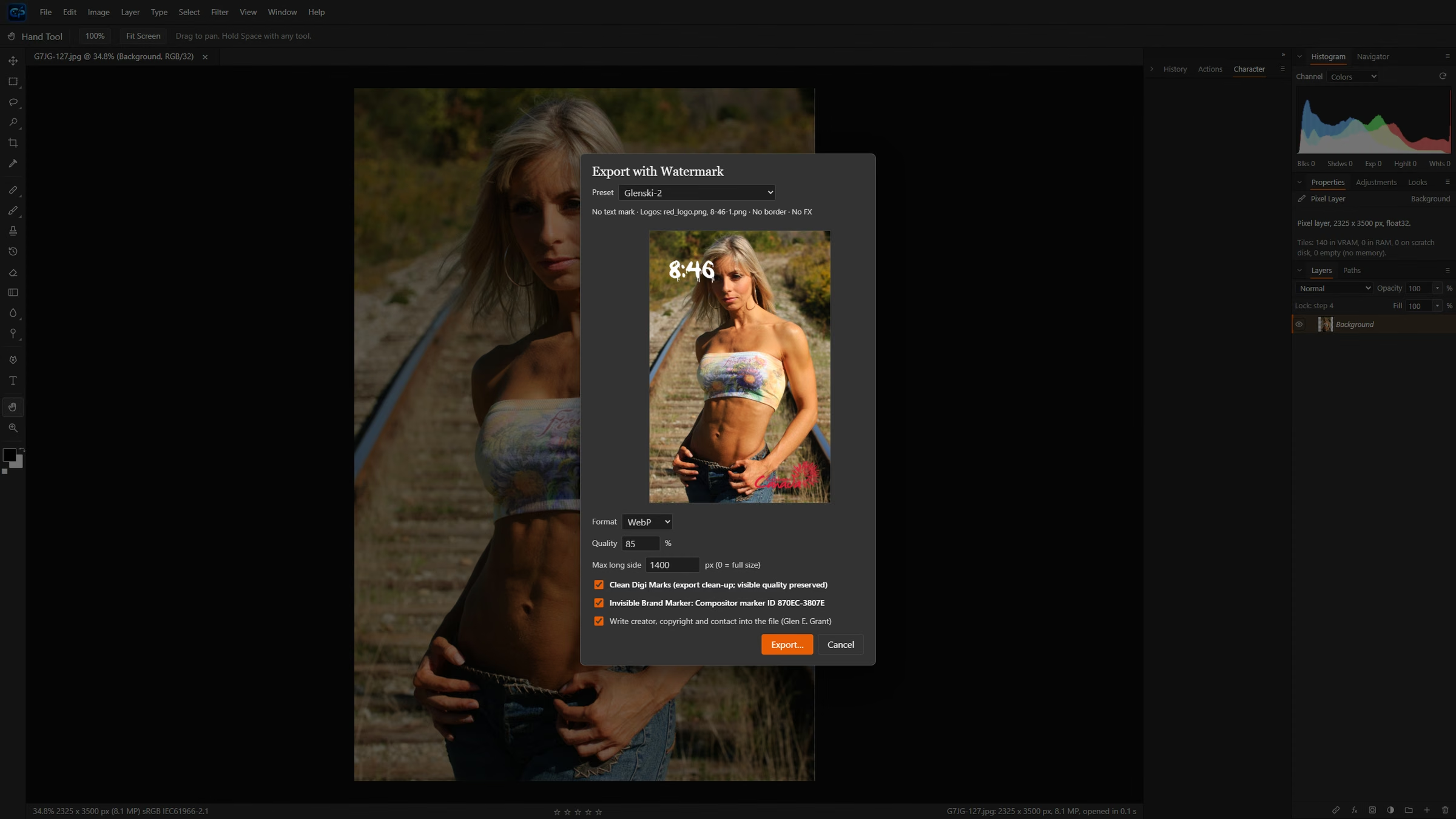
Export with Watermark: preset, live preview, format and the marker in one dialog.
Whole folders or open tabs, SEO file names, a ZIP of every output and an audit log.
Check Image for Marker recognises both Compositor and Watermark Gienie marks.
Creator, copyright and contact written into every export.
Develop RAW files inside Compositor PC, or hand off to Adobe Camera Raw when Photoshop is installed and pick the result straight back up.
Opens PQ, HLG and 32-bit float HDR, shows it on an HDR monitor and saves HDR JPEG XL.
Made with Compositor
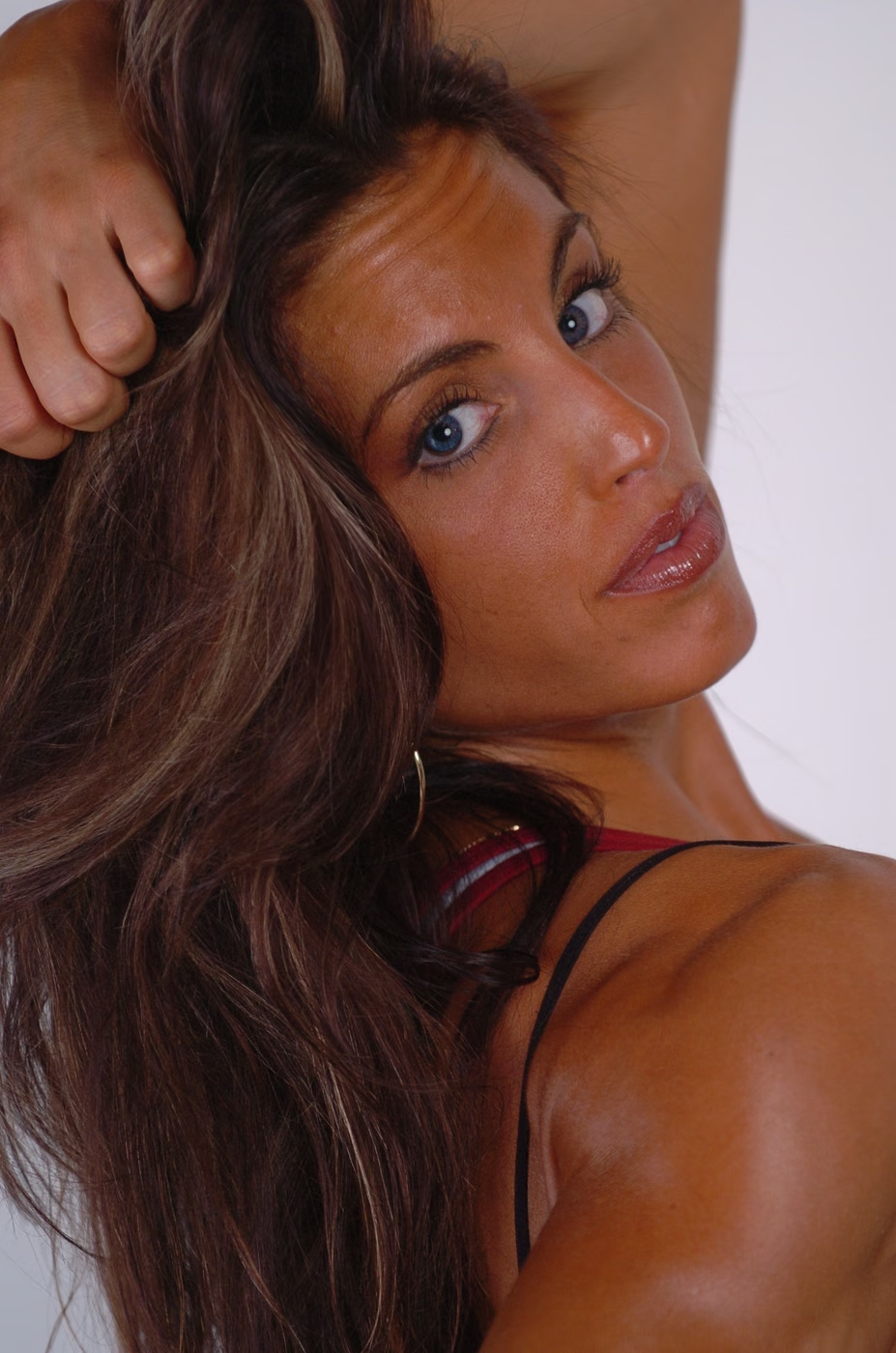
Finished work from Glen's studio, edited start to finish in Compositor. Drag any divider to see the frame straight out of camera.
Edit title
Tools used, for example Frequency Separation and a Warm Grade.
Edit title
Tools used.
Edit title
Tools used.
Edit title
Tools used.
Edit title
Tools used.
Compositor Library
Compositor Library is a photo library and raw developer built to replace Lightroom Classic in Glen's own studio. Native Windows, written in Rust, with Classic panels laid out the way a Lightroom user already works, and non-destructive editing from the first slider.
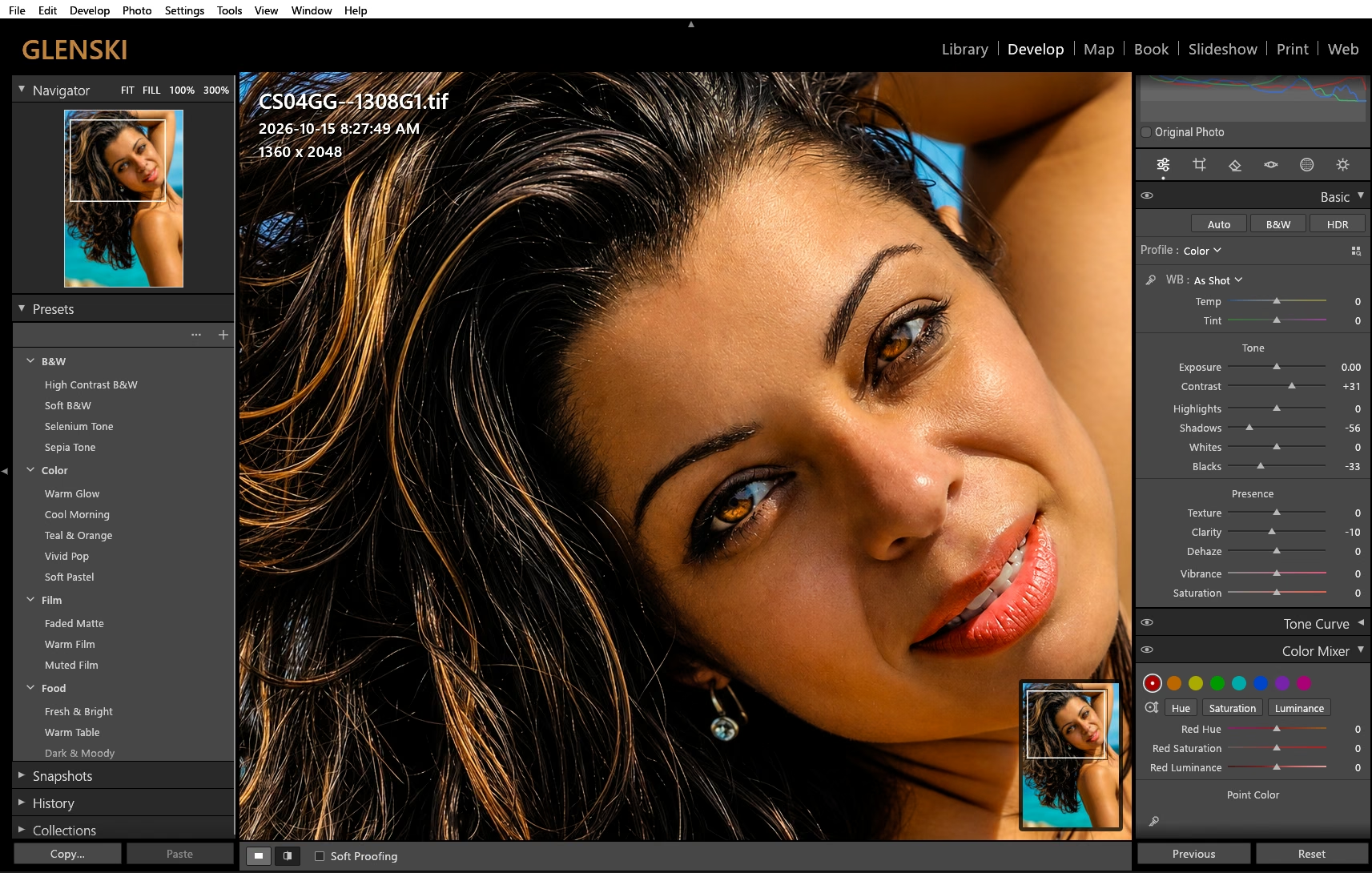
Develop: presets, Basic tone and Color Mixer, laid out the way Lightroom Classic users already work.
Instant
grid revisits
4,000 thumbnails kept in memory.
~4 s
to fill unseen cells
On a full-size library grid.
3 s
to a live histogram
When a photo opens in Develop.
0
writes to your originals
Edits live in the catalog, never in the raw file.
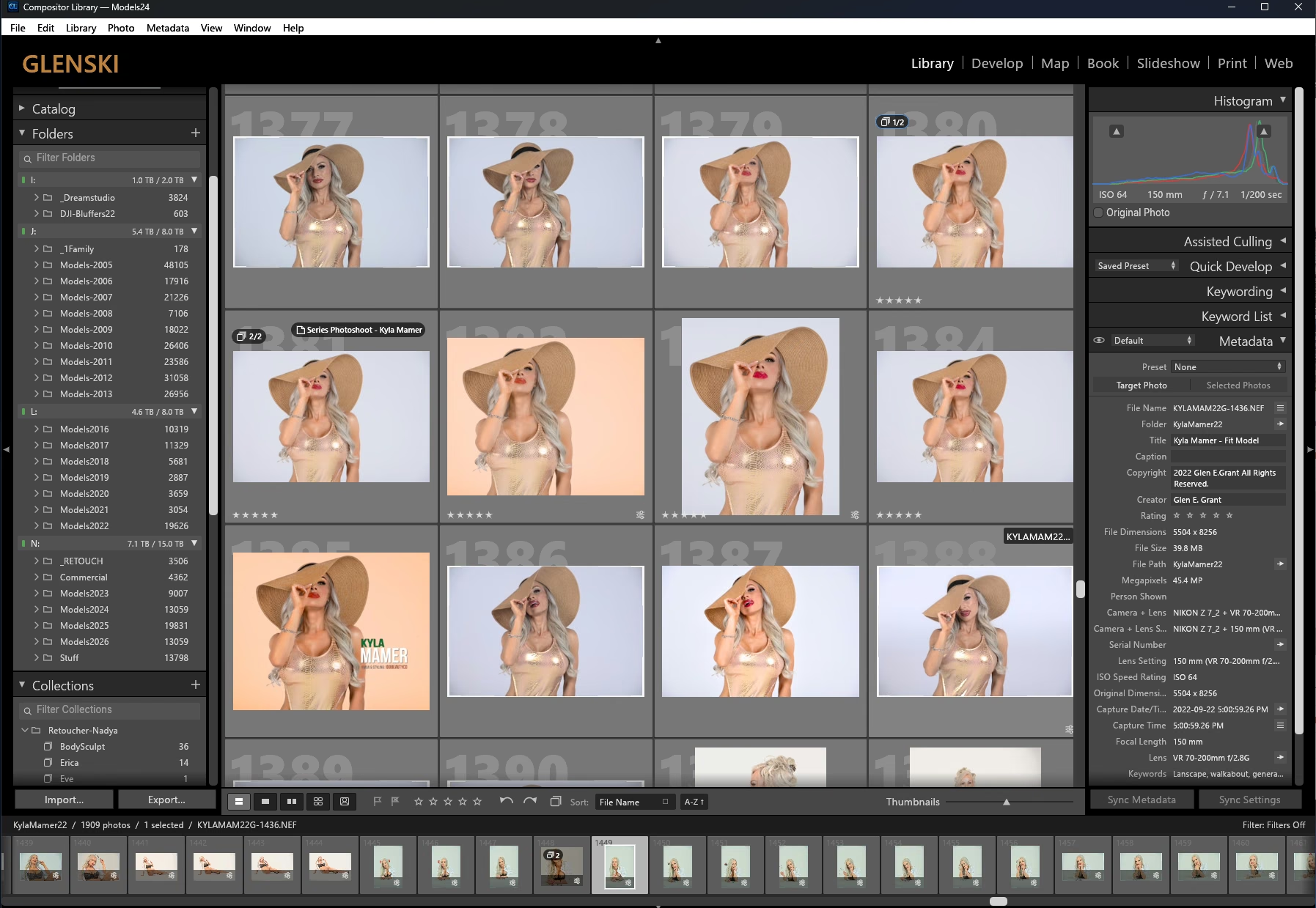
A real studio session in the Classic grid: folders, histogram and full metadata at a glance.
The grid, loupe and filmstrip never shrink a photo to fit something else. Photos fill their tiles, as large as Lightroom Classic shows them.
Folders, metadata, histogram and Develop panels at Lightroom Classic density, one text size and one row pitch across every panel.
One folder holds the app, its settings, logs and models. Copy the folder and the whole app comes with it. Nothing hides in system folders.
Every build is kept in its own dated folder, the catalog has a backup, and a written recovery guide covers a bad build, a damaged catalog or lost source.
Two apps that work side by side. Use one, or both.
Compositor PC
Layered editing and delivery
Compositor Library
Library and raw development
Every feature on this page was checked on copies of Glen's own photographs, on his own studio PC.
26 years behind the camera and 41 in IT, in one set of tools.
Private preview. Release dates and pricing are not set yet.